Wacom Graphic Tablets
The essential recognized instrument
Everyone knows about touch tablets. But graphic tablets? The graphic tablet is no longer just for image professionals. In recent years, it has become democratized and accessible to all. All image enthusiasts can’t help but love it, once they’ve tried it!
😉 A touch surface speaks to everyone, especially the younger generation. But a touch surface is far from having the same precision as a graphic tablet.
I am a big fan of pencil/paper. In high school, I always had several sheets in my back pocket with two or three pens to doodle on the train or bus. In class, I had my sketchbooks 😉
But the day CuiHo discovered the graphic tablet, he ran to buy one. When I got home, I quickly plugged it in and started playing with it. I didn’t let it go for hours. I remember stopping because I was starting to get cramps in my hand, and also because it was four in the morning. With music, you lose track of time 🙂
What is it?
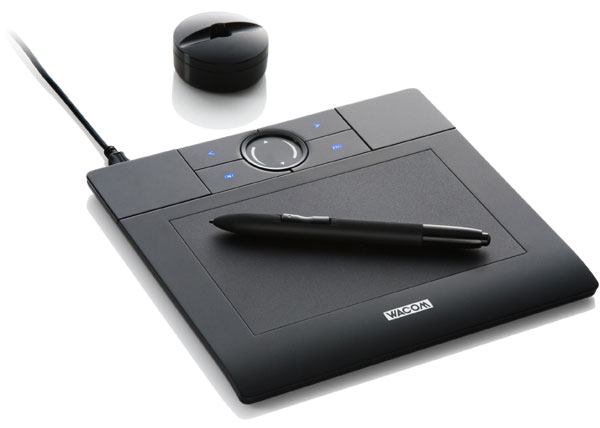
It has the shape of a rectangular tablet and a stylus, on which you can find right and left clicks. The tablet usually also has two holes or buttons that make navigation easier. These buttons are actually shortcuts, and it’s very simple to set your own shortcuts or paths. The touch surface represents the surface of the screen. Since you can’t design on your screen, it’s done on your tablet. The size of the touch surface corresponds to the size of the screen. This means that the diagonal of the tablet matches the diagonal of the screen, unless you have two or more. Then, the surface of the tablet automatically divides to adapt to the screens.
It was designed to make the work of writers and retouchers easier. Save time, gain speed with experience. The beginnings are not easy because you don’t look at your hand but at the screen. With a few days of practice, it becomes second nature. After a few years, it’s indispensable. With good keyboard shortcuts, you feel like you’re composing a melody 😉
The tablet is used to replace the mouse, which lacks precision when it comes to achieving a smooth and dynamic stroke. The graphic tablet is used by graphic designers and digital artists to transcribe on-screen what they can’t achieve with a pencil/brush on a sheet or canvas. It’s essential to find the sensations of “pencils” on paper. With it, the strokes are sharp and precise. It’s just the best way to get closer to the feel of hand-drawn work. You can see a real difference in line fluidity when comparing the touchpad, mouse, and graphic tablet.
The Stylus
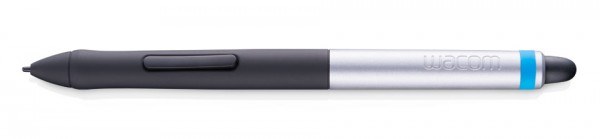
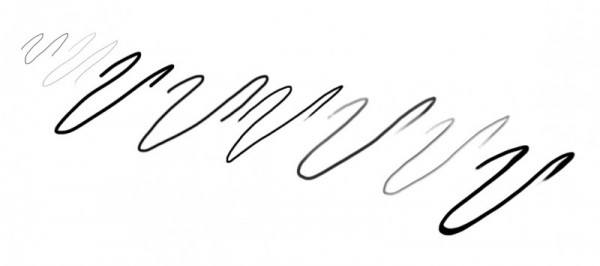
It is the most important tool for the artist, as it is an extension of their hand. In recent years, graphic tablets have become really powerful. The pressure of the stylus is really well transcribed on the screen. In other words, the pressure applied to the tablet with the stylus allows you to achieve all kinds of strokes. The harder you press the tip of the pen on the touch surface, the thicker and bolder the line becomes. Conversely, the lighter you are, the lighter and softer the line will be. Just like you would on a sheet of paper.
Here are some strokes that can be achieved with the first form of the Photoshop brush, which is the simplest of all. You just need to change its size, opacity, and hardness. Playing with the hardness of the stroke, it’s very easy to achieve different interesting results.
The Brushes
In design software, a brush or pencil shape, a brush, is called. When choosing the brush tool, which allows us to draw and paint, we have the choice between different standard parameters: size, shape, opacity, and color. But it is particularly possible to choose between different types of brushes, among different types of brushes. You can create your own brushes, but also download them from specialized websites (such as Brush Photoshop). Standard brushes, the most basic, can be varied: round, square, rectangular. With more subtlety, you can create brushes for textures, clouds, birds, and create amazing textures. The technique is simple, define this new element as a brush and give it a name. Each created brush is not set in stone, you can modify it using certain parameters such as size, color, and angle. By being creative, you get real “tools” that save time and achieve super effects.
The Surface
Strictly speaking, there are two types of graphic surfaces. The first “traditional” tablet, known to us, is a touch surface that is in contact with a stylus. It connects to a system reader or laptop via a simple USB port. It’s a complement to the computer. The actions performed on the tablet are transcribed on a screen. For good product optimization, it is recommended to install the plugins provided on the installation CD. After installing the plugins, it’s best to take the time to configure it (5 minutes is sufficient). Right-handed, left-handed, ambidextrous, flexible or heavy-handed, everyone should test according to their preferences and habits.
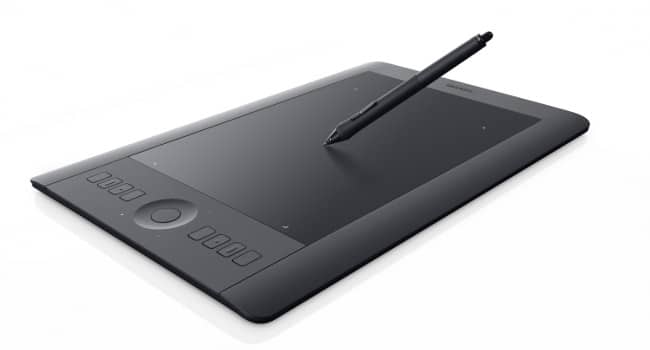
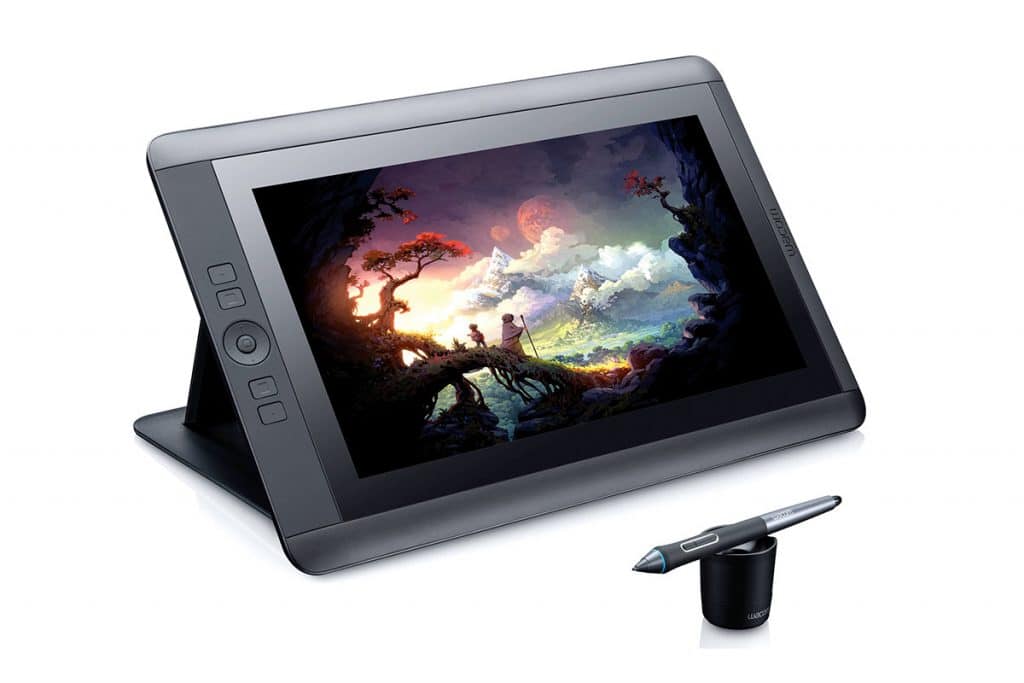
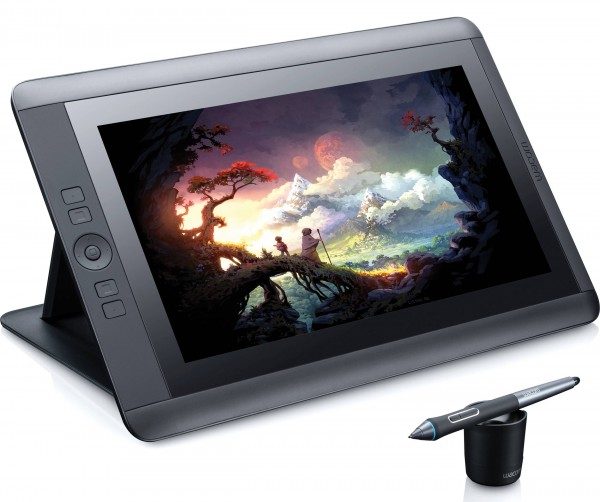
But let’s not stop progress. Specialized brands, including Wacom, have made significant advancements in recent years. The progress is remarkable, and the devices have become real powerhouses. This is where the second surface, the “interactive” tablet, comes into play. It’s no longer about being connected to a computer, no longer connected to a screen, everything is gone. The tablet has become independent, it is self-sufficient! The tablet is now coupled with the screen, the rendering is directly below the tip of the stylus. Now, we are at the top of the shelf. Professionals recognize that having image feedback directly on the tablet is essential to optimize the process of creation. You can test them in showrooms, trade fairs, or some of the major specialized High Tech brands.
To conclude
The graphic tablet is no longer just for image professionals. In recent years, it has become accessible to everyone. A touch surface speaks to everyone, especially the younger generation. But a touch surface is far from having the same precision as a graphic tablet.
As we know, design software, such as Photoshop, comes at a cost. But there are many free software and online photo editing software. As well as numerous games and applications that have been developed for iOS and Android. Why use your big fingers when you can do things differently, with a better rendering?
On the other hand, for those who don’t draw, the tablet can also be very useful. For taking notes, you don’t need to walk around with a bag full of papers. You just write on the tablet and save your writings on it. For the little ones, it works too; after a few years, it will always be possible to find the beautiful creations of our children. They will be stored, organized, and cataloged.
Finally, let’s talk a little about money… To get a graphic tablet, you need to set your budget. Especially when you’re starting out. I bought my first tablet for just under a hundred euros, a Wacom Bamboo (first visual), when I was a student. As you might suspect, I had a tight budget. Fortunately, Wacom does a good job and offers attractive prices (from 20 euros to about 2500 euros). Honestly, I absolutely wanted a Wacom for its reputation. I worked hard to get one, played with it all night, and went to class the next day.
It has become so easy to be an artist!
I hope you enjoyed this article… if so,
Leave a big like on the page,
Share it,
A comment, or just a little word 😉
Tag : what is a graphic tablet for?